Instructions for joining the email listserv for the Democrats of Alcova Heights.
1. This is best done on a PC/Laptop rather than a mobile device. Be sure your browser is only signed into one Gmail account. If you have more than one, log out of all, and then use just the one you want to subscribe. Note, it is not necessary that you use a Gmail account. Any provider should work.
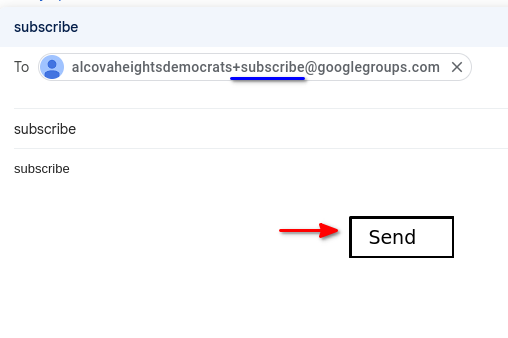
2. Send an email to:
alcovaheightsdemocrats+subscribe@googlegroups.com
Note the “plus” and the word “subscribe”. No spaces.
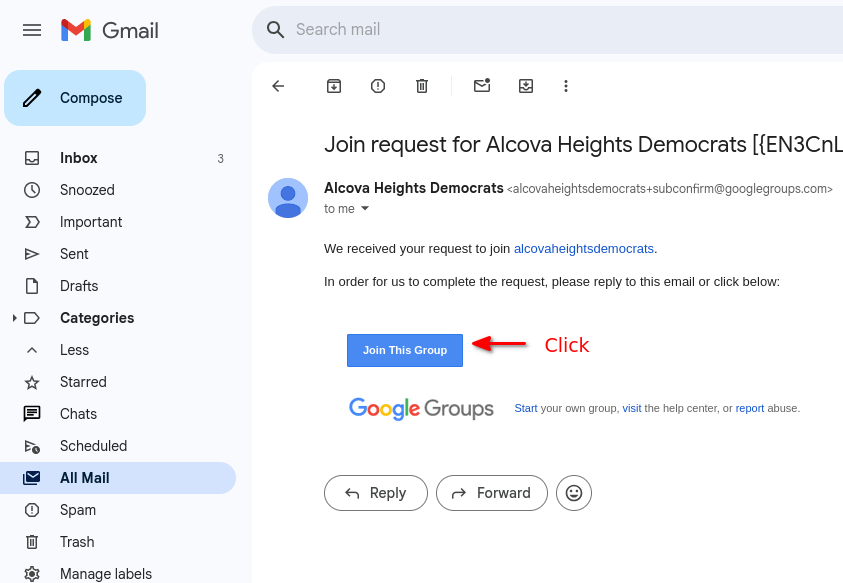
3. You will receive an email confirming your request. Check your spam folder if you don’t see it. Click on the blue “Join This Group” button and it will open a web page.
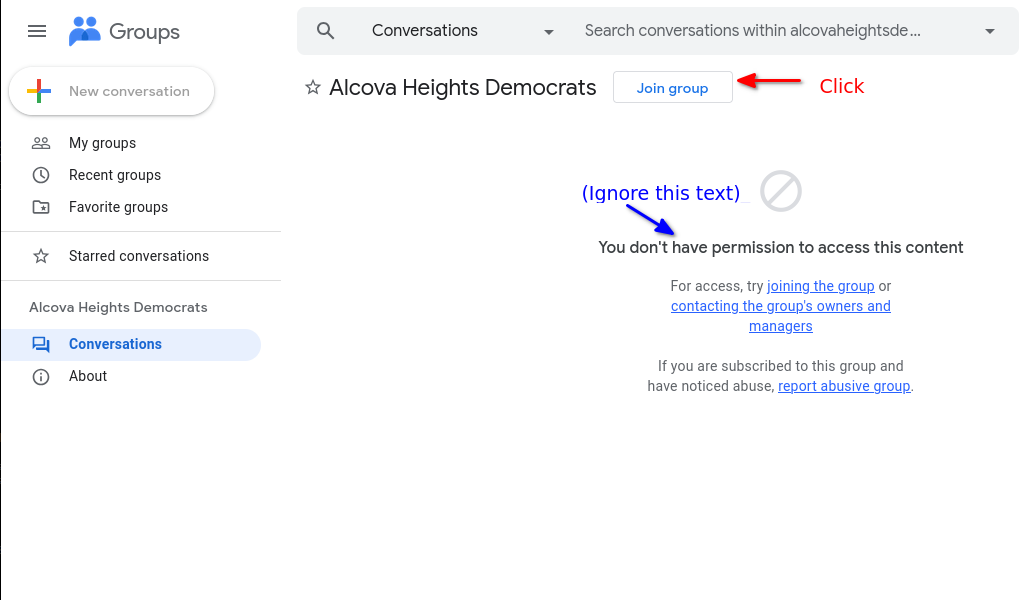
4. Look for the button that says “Join Group”. Ignore the text that says “You don’t have permission to access this content.” It just means you haven’t yet joined.
.
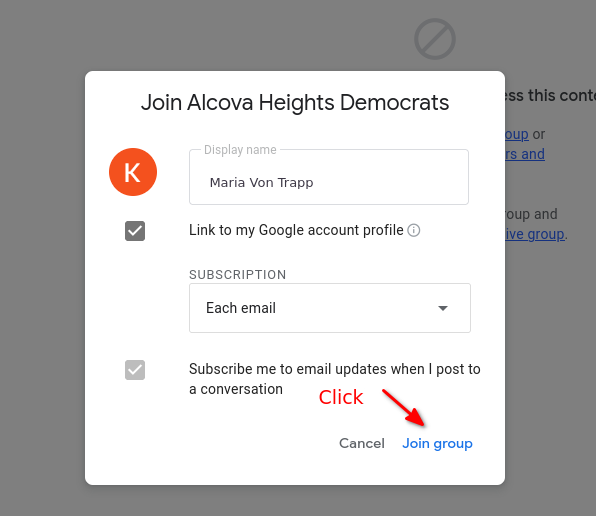
5 . Confirm your name and
delivery options. Click “Join group”.
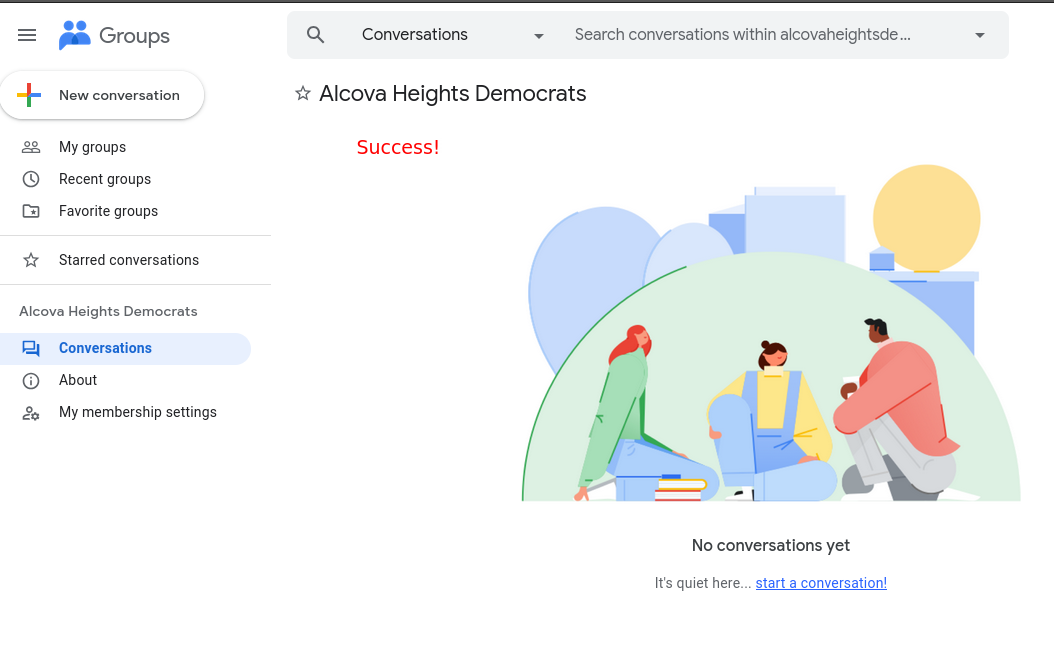
6. You should see this page confirming you have joined. This page will also store the history of all messages.
7. To send a message to the group, compose an email to: alcovaheightsdemocrats@googlegroups.com
8. If you later decide to leave the listserv, just send a message to:
alcovaheightsdemocrats+UNSUBSCRIBE@googlegroups.com
DO NOT Email the whole list asking to be removed.
If you have
issues or questions about the process, ask
koset.robinson+dems@gmail.com